
Will I Make It to Payday? Six Money Problems Tipid Quietly Solves
It's the 22nd, payday is the 30th, and you're doing mental math in the grocery line. Here are the everyday money problems that made me build Tipid, and how a calendar that shows your balance on every day fixes each one.
Will I Make It to Payday? Six Money Problems Tipid Quietly Solves
It's the 22nd. Payday is the 30th.
You're in the grocery line with a basket that's probably fine, and you're doing math in your head. Rent cleared on the 5th. Electricity was last week. Netflix renews on the 28th, or was it the 26th? There's that concert on the 3rd you already said yes to. And you honestly don't know if the number in your account is "comfortable" or "eat rice and eggs for a week."
I've had that exact moment more times than I want to admit. Every budgeting app I tried promised to fix it, and every one of them made me set up fourteen categories, link a bank, and feel guilty by day three.
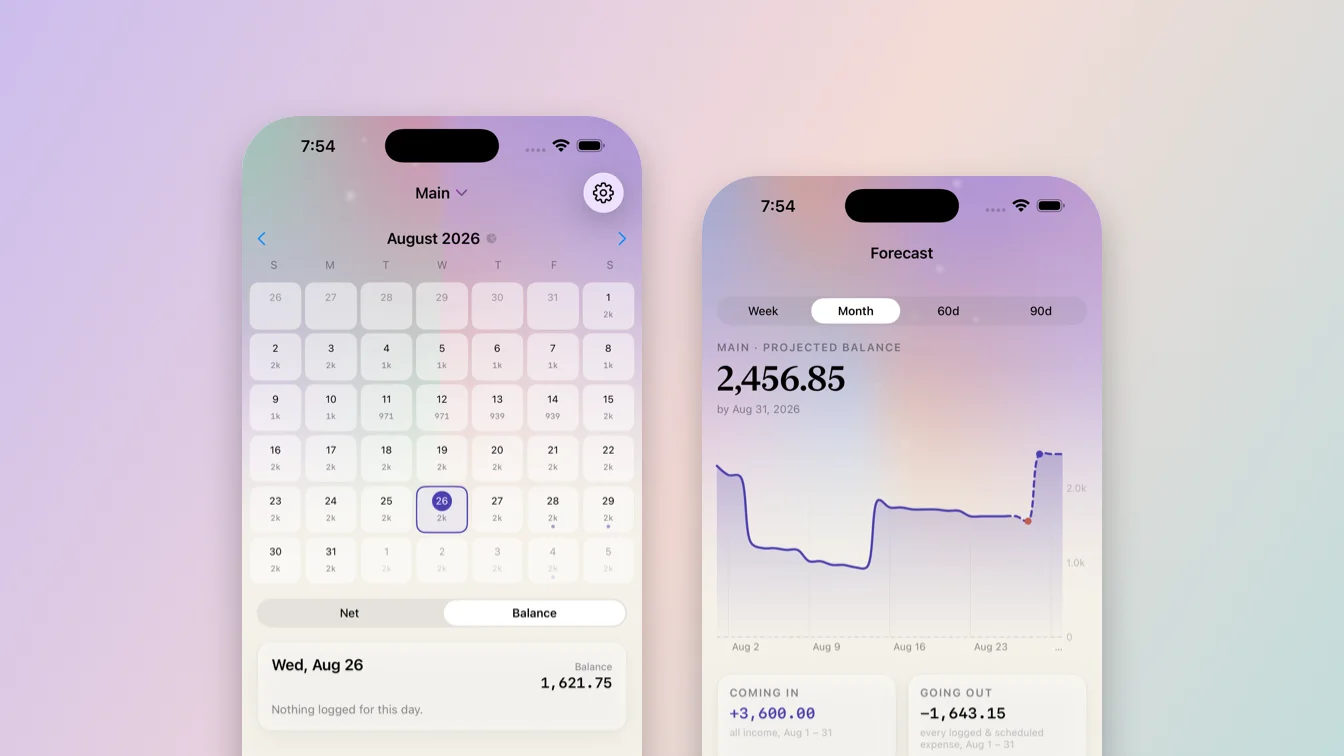
So I built Tipid, a money calendar for iPhone. It doesn't try to change your personality. It just answers the question you're actually asking. Here are the problems it was built to solve, one by one.
Problem 1: "I don't actually know how much I have right now"
Your bank app tells you a balance, but that number lies a little. It doesn't know about the cash in your wallet, the money you already promised to a friend, or the bill that's due tomorrow.
Tipid's answer is almost embarrassingly simple: put your money on a calendar. Every single day shows the balance you had on that day. Scroll back to see what you had on the 5th. Look at today to see where you stand. No charts to interpret, no dashboard to decode. Just a number on every square.
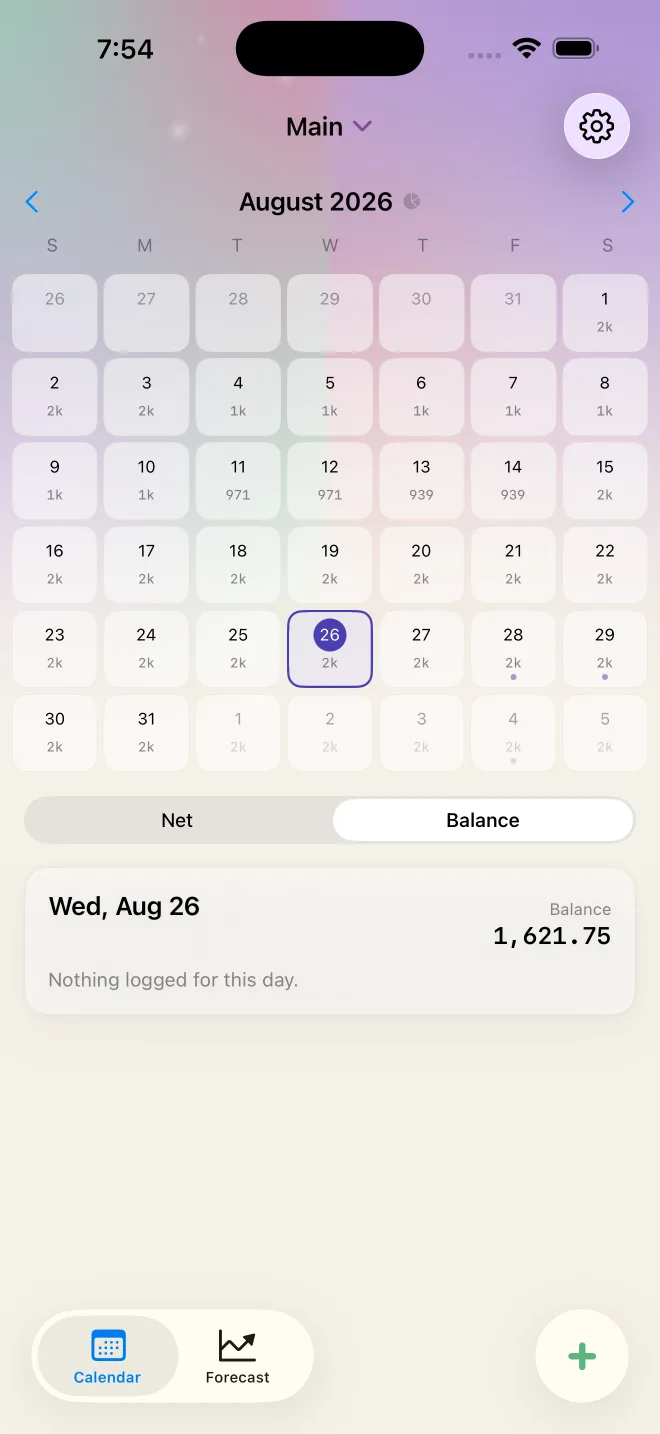
You can flip the calendar to Net mode to see each day's money in and out instead, but most of the time you'll leave it on Balance. That's the view that ends the mental math.
Problem 2: "Bills sneak up on me"
The rent isn't a surprise. Neither is the phone bill, the gym, or the subscription you forgot you had. And yet they still feel like surprises because they live in your head, not in front of you.
In Tipid, you add your paycheck, rent, and subscriptions once, and they land on the calendar automatically. Scheduled items show up as dots on the days they're due, with the balance you'll have after they hit. The concert tickets on the 3rd? They're already sitting on the 3rd, and so is the projected balance once they're paid.
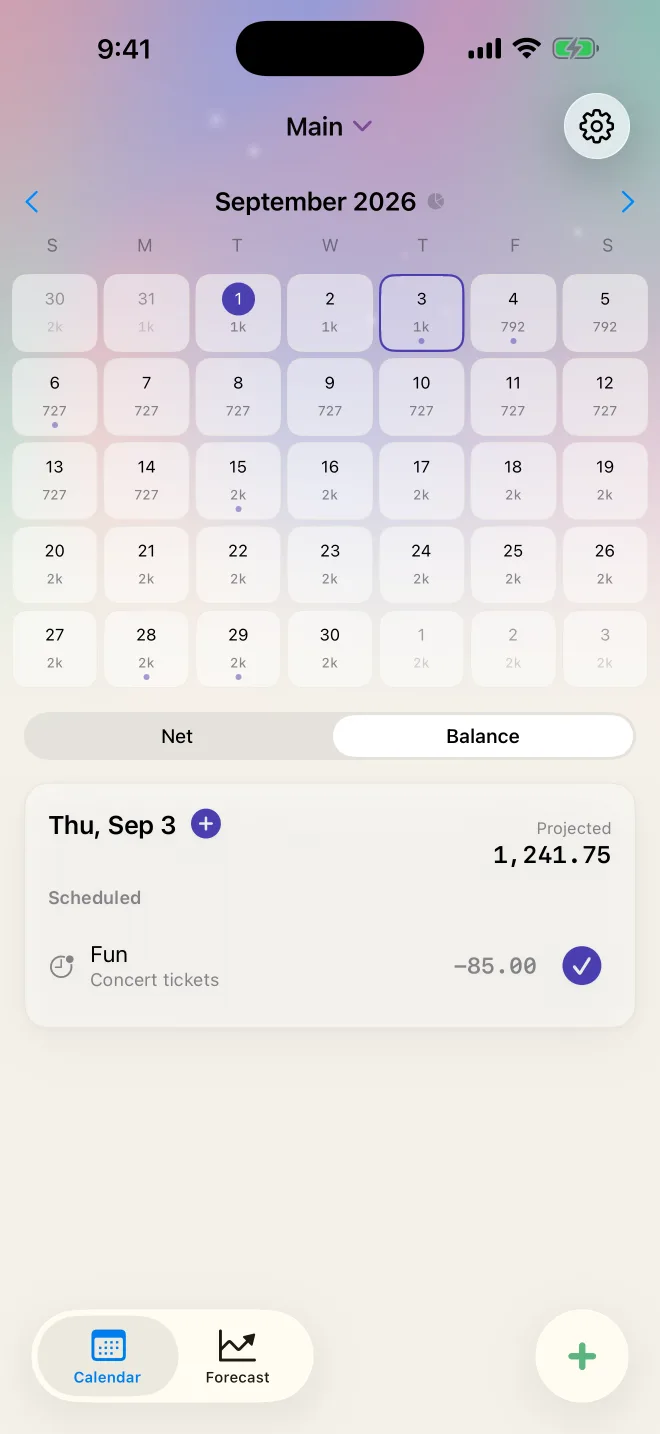
When the day comes, you tap the checkmark to confirm it happened. If the amount changed, you fix it in place. Nothing sneaks up on you because nothing is hidden.
Problem 3: "Will I make it to payday?"
This is the one. Everything else is a bonus.
The Forecast tab takes what you've logged plus what's scheduled and projects your real balance forward: a week, a month, 60 or 90 days. The solid line is what actually happened. The dashed line is what's coming. It only moves on real events, so it doesn't invent a spending pattern for you or assume you'll behave.
The number I look at most is "Lowest point." It tells you the day your balance dips furthest before the next paycheck, which is exactly the day you need to be careful about. If you're headed below zero before payday, Tipid tells you calmly, ahead of time, while you can still do something about it.
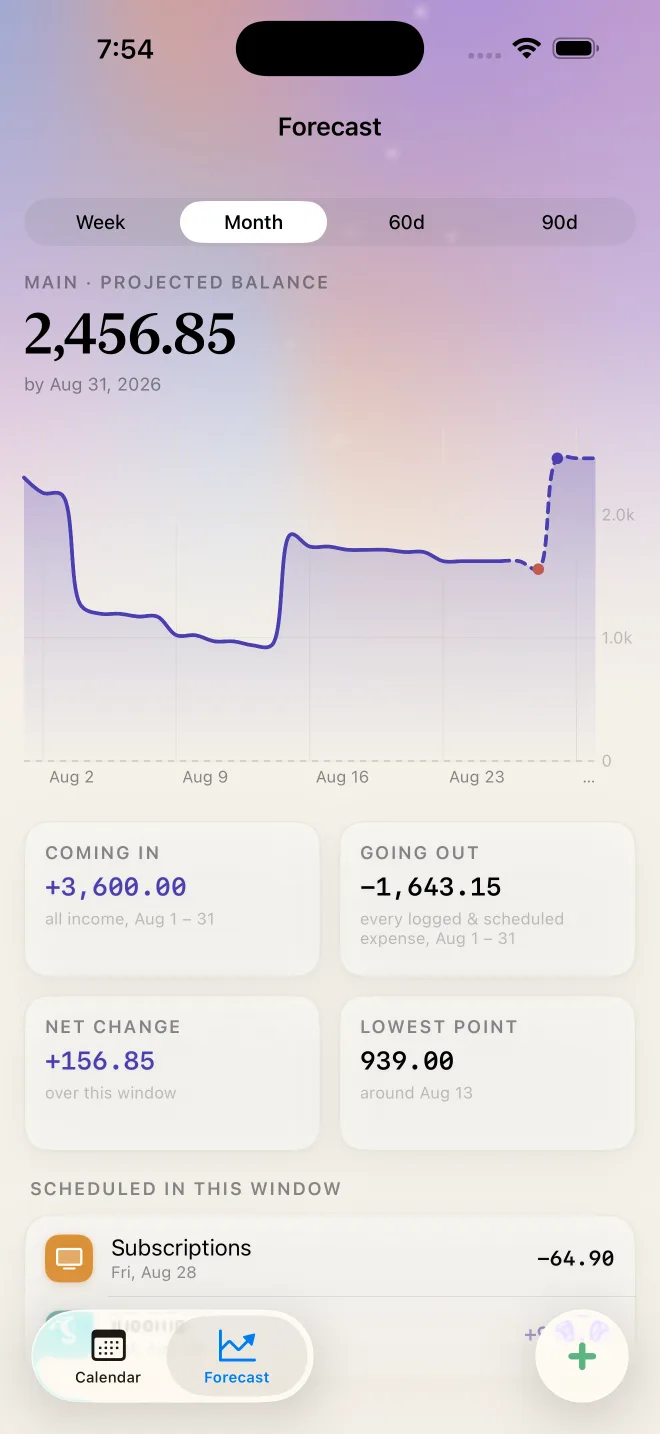
No "safe to spend" number that means nothing. Just the line, and where it's headed.
Problem 4: "Where did it all go?"
End of the month, the balance is lower than you expected, and you have no idea why. Was it groceries? All those small coffees? Grab rides?
Tap the month title and Tipid opens a summary: money in, money out, net, and spending by category with a bar for each. It also compares the month with the previous one so you can see whether this was a normal month or a rough one. Rent at 57% of your spending is fine. Dining creeping from 2% to 12% is worth knowing.
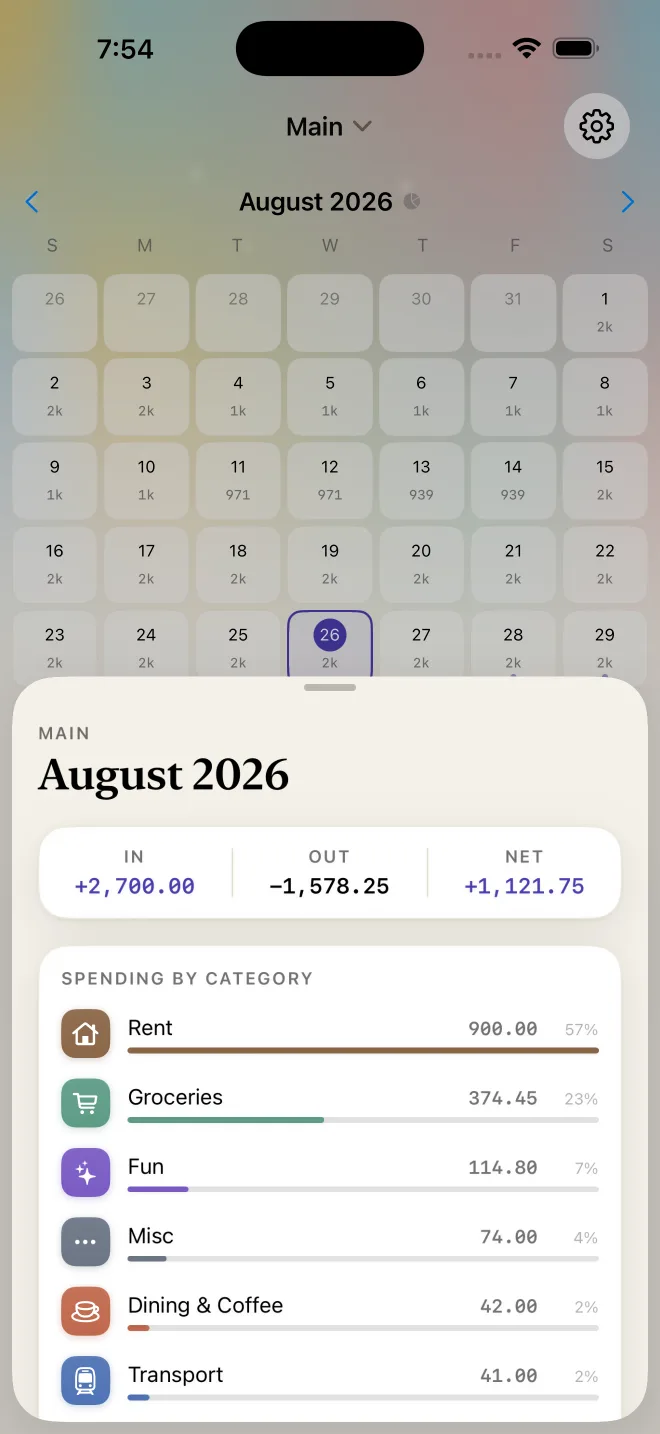
This is the only place Tipid talks about categories. They're labels for finding out where the money went, not budgets that scold you.
Problem 5: "I always quit tracking after a week"
Every expense tracker I abandoned died the same way. Logging took too long, so I skipped a day, then a week, then the whole thing felt pointless.
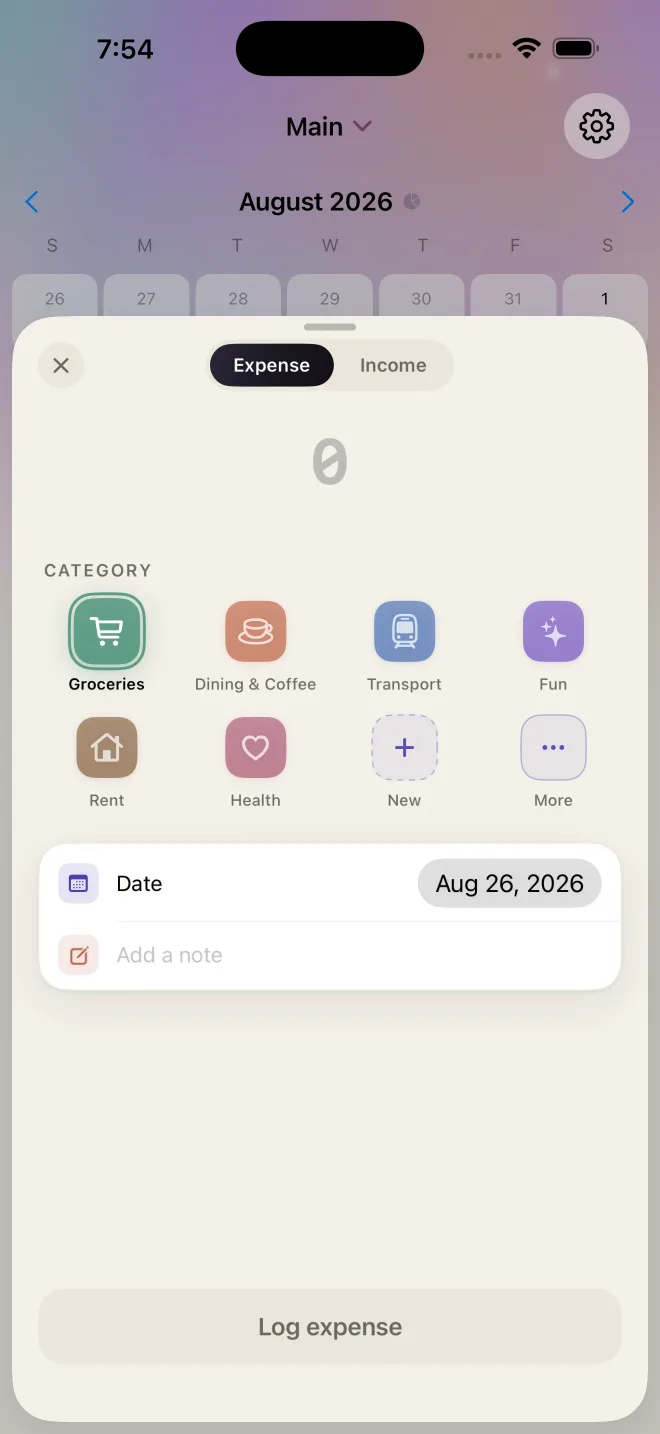
In Tipid, logging is amount, category, save. About two seconds. The category grid shows your most-used ones first. Type "Starbucks" or "Grab" in the note and it picks up the brand icon so your day list is scannable at a glance. And if you log something for a future date, it schedules instead of posting, so you can dump "dentist, 3,000, the 18th" into it the moment you book the appointment.
The daily reminder is optional and, more importantly, polite. It only shows up on days you haven't logged anything. If you already opened the app that day, it stays quiet.
Problem 6: "I don't want to hand my bank login to a random app"
Neither do I, which is why Tipid never asks for one. There's no account to create, no email to enter, and no bank connection. Your transactions live on your phone.
If you want, you can lock the app behind Face ID so nobody browsing your phone sees your money. You can export everything as CSV or JSON whenever you like, and you can delete it all in one tap. Your money data is yours, full stop.
What Tipid deliberately doesn't do
A lot of the design was about saying no.
- No budgets. You won't be asked to cap Dining at 2,000 and then be shamed when you hit 2,100. The calendar shows where you stand, and you decide.
- No streaks or badges. Your money isn't a game. Missing a day of logging shouldn't cost you a trophy.
- No currency lock-in. Tipid shows plain numbers, so it works the same whether you think in pesos, dollars, or dirhams.
- No AI guessing your spending. The forecast moves only on things you told it about.
Up to three calendars are included, so you can keep a checking calendar, a savings calendar, and a goal fund separately, each with its own balance and schedule.
Why "Tipid"
Tipid is the Filipino word for thrifty. Not kuripot, not cheap. It's the way my lola used the word: spending on purpose, knowing what's coming, and never being surprised by the 28th.
That feeling of standing in the grocery line, knowing exactly where you are and where you'll be on payday, is the whole app.
Try it
Tipid is free on the App Store, with no account to create. Download it here, add your next paycheck and your rent, and look at the forecast. That's usually the moment it clicks.
More at tipid.kantoprojects.com.
See your money, day by day.
— Jeff